
Contacts: keep track of every brand and creator you work with


Finding the right people is rarely the hard part. Keeping track of them is. Who did you talk to last spring, which creator fits the next launch, and where did you save that email address? Contacts gathers the brands and creators you work with in one place in BOOSTIFIED—Pay.
Save contacts where you find them
When you come across a workspace in Explore, save it with one click and it is added to your contacts. You can also add workspaces from a campaign, invite people who are not on the platform yet, or import contacts you already have.
Your whole network in one overview
All Contacts shows every saved workspace with their socials, the details you have added and quick actions to favourite, message, edit or remove a contact. Search finds anyone in seconds, and the tabs separate Favorites, Invitations, workspaces that have Added you and the ones you have Collaborations with.
Select a contact to see their profile at a glance: role, location, socials, a button to start a chat and a link to their public profile.
Private notes for you and your team
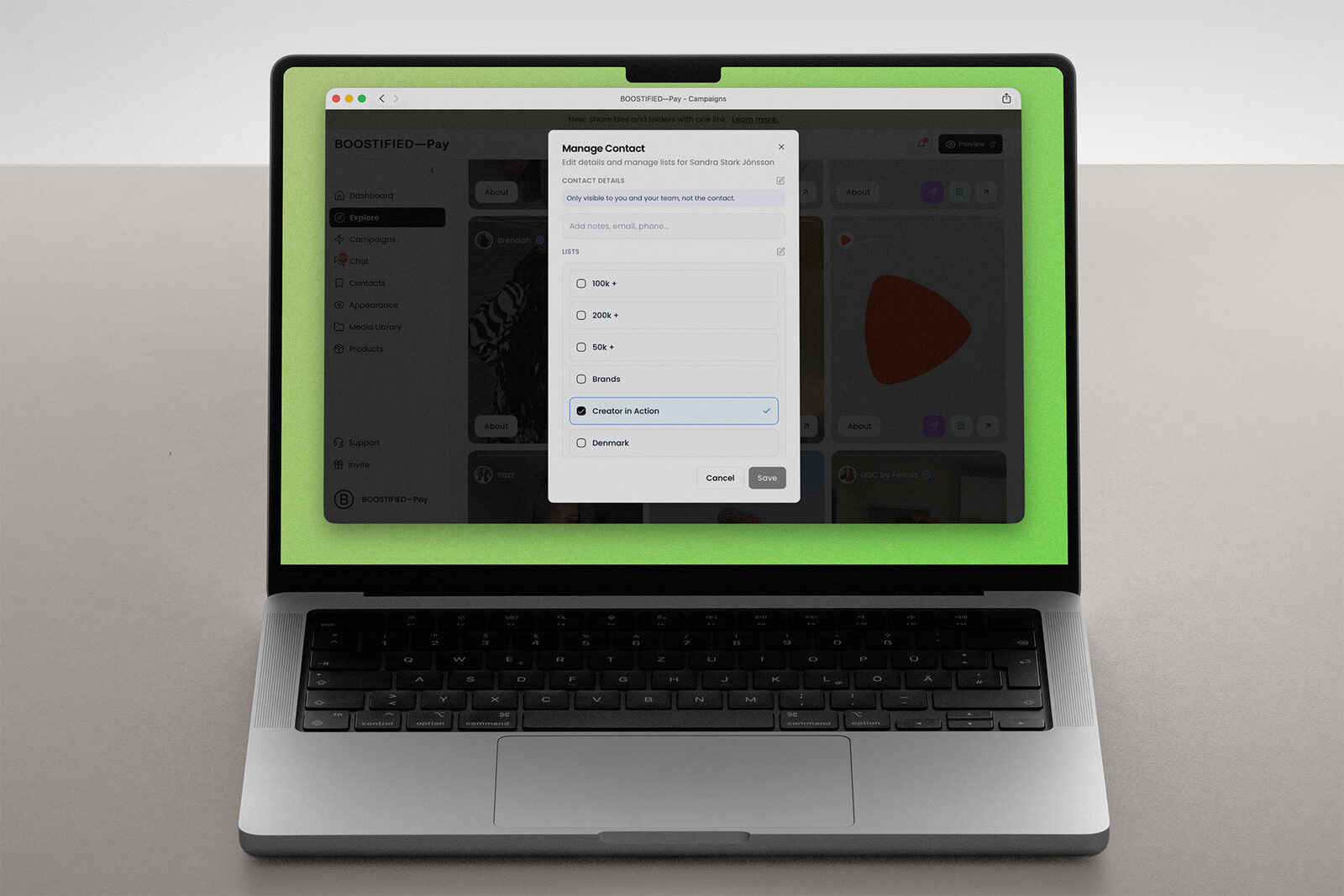
In Manage Contact you can add an email address, a name, a phone number and notes. The details are only visible to you and your team, not to the contact, so everyone working with the account knows who to talk to and what was agreed.
Sort contacts into lists
Lists let you group contacts the way you work, for example by market, channel, campaign or new leads. Create a list, give it a description and see how many contacts it holds.
Your network grows with every collaboration. With Contacts it stays organised and ready for the next one.